
Signing in and resetting your password
Your dashboard lives at campaignbrain.io/login. You can also use the Log in link at the top of every page on this site.
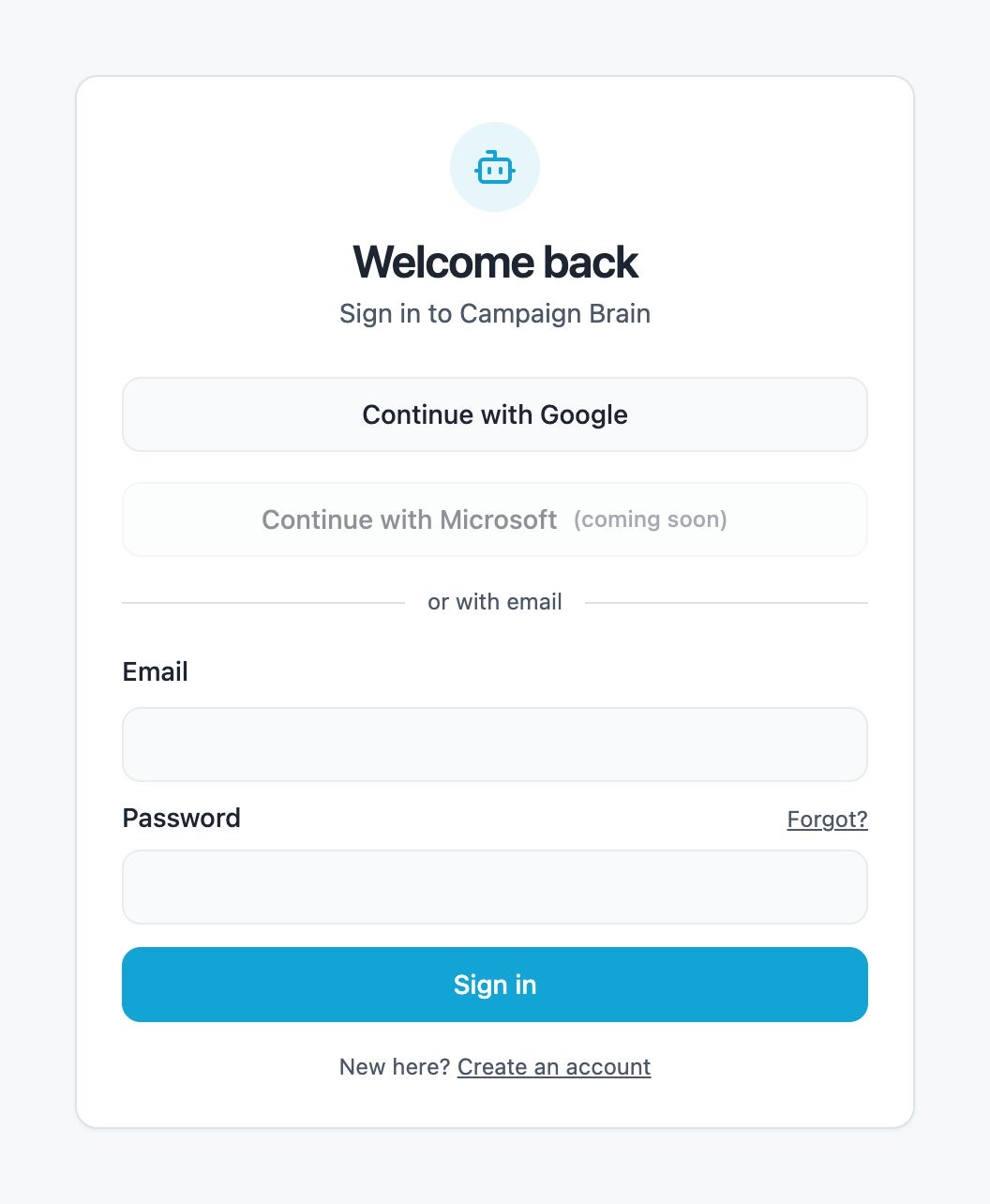
Ways to sign in
- Continue with Google. Use the Google account with the same email address as your Campaign Brain account.
- Email and password. Use the password you created during setup.
Signing in with Microsoft is coming soon.
Forgot your password?
- On the sign-in page, click Forgot? next to the password field.
- Enter your email and click Email me a reset link.
- Open the email, follow the link, and choose a new password of at least 8 characters.
You can also change your password any time from Settings → Login password while you're signed in.
Where you land
After signing in you'll see your dashboard. If you haven't finished your onboarding form yet, you'll see a reminder banner at the top with a button to open it. Use Sign out at the top right when you're done.
More than one business?
If your login is linked to more than one business, a Your businesses menu appears at the top of your dashboard. Pick the business you want to look at. Your choice is remembered on that device.
Giving a colleague access
You can give one other person their own login during account setup. Tick Give another person access to the dashboard & AI Agents on the first step. To add someone later, reply help please to any Campaign Brain email.
To let a colleague email your agent without a dashboard login, add them under Authorised emails.
Still stuck? Reply help please to any Campaign Brain email and our Sydney team will pick it up, or call 1300 304 640. See Getting help from a person.