
Using Einstein, your AI assistant
Einstein is the AI assistant on your Dashboard tab. Ask it anything about your ads and it reads your live account data to answer. When it suggests a change, nothing happens until you approve it.
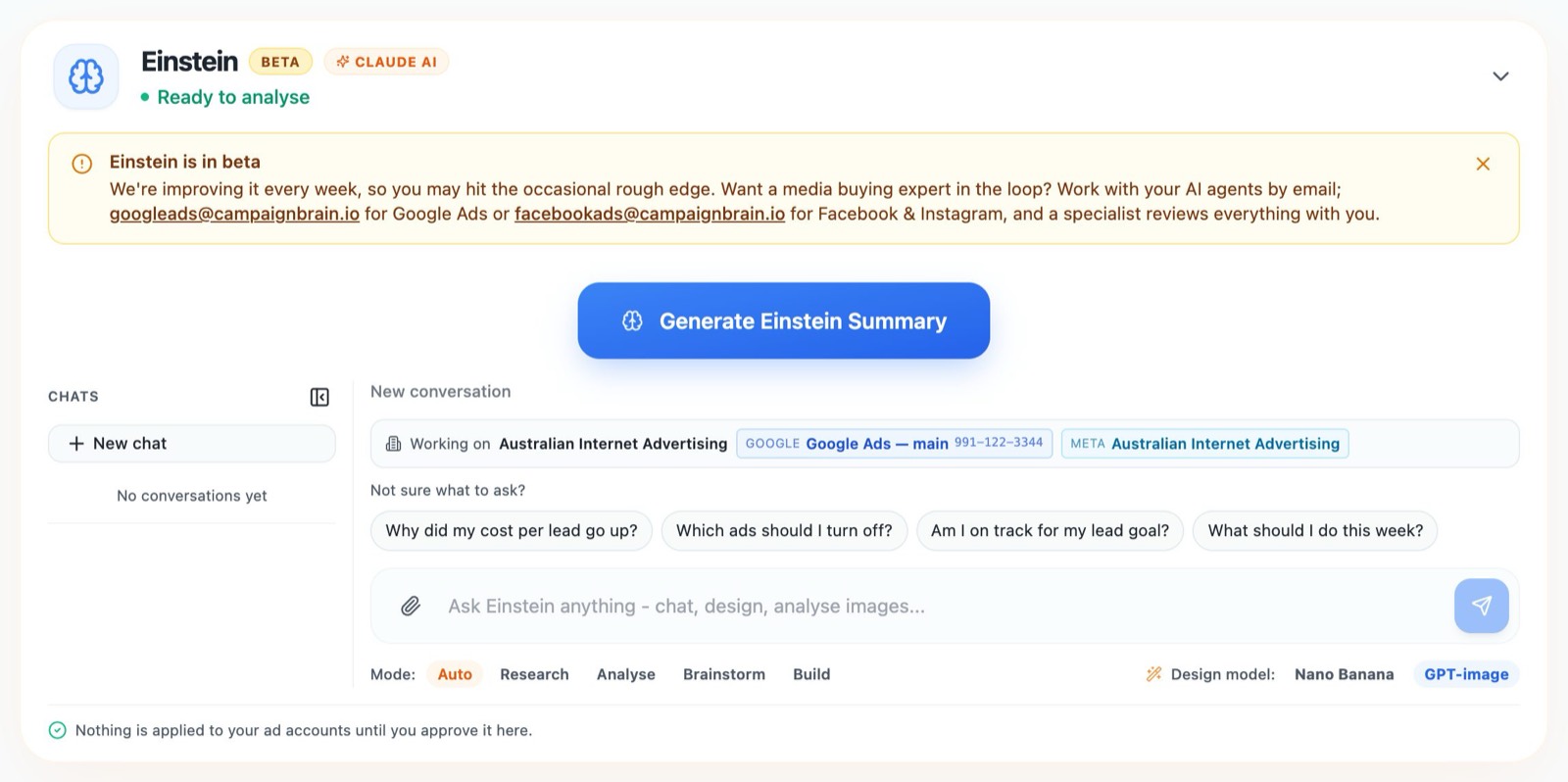
Get a summary
Click Generate Einstein Summary for a plain-English read-out of how your accounts are performing and what to focus on. Use Regenerate to refresh it later.
Ask a question
Type into the chat box, or start with one of the suggestions under Not sure what to ask?, such as "Why did my cost per lead go up?" or "What should I do this week?". You can attach images too, for example a competitor's ad or a photo you'd like turned into an ad. Your past conversations are kept in the Chats list, and New chat starts a fresh one.
The Working on bar shows which business and ad accounts Einstein is looking at. If you have several Google Ads accounts, pick one there: Einstein can read them all, but changes only apply to the selected account.
Modes
| Mode | What it does |
|---|---|
| Auto | Einstein picks the right mode for your question. |
| Research | Keyword and competitor research. Never changes your accounts. |
| Analyse | A read-only diagnosis of what's happening and why. |
| Brainstorm | Ad copy ideas and image designs. |
| Build | Prepares changes such as keywords, negative keywords, pauses and budgets. Each one is staged for your approval first. |
Approving a change Einstein proposes
When Einstein wants to change something, it shows a card headed Please review & approve. The card lists the account and exactly what will change.
- Click Approve & apply to make the change. You'll see "Applied to" and the account name.
- Click Cancel and nothing is changed.
Approval cards expire, so act on them while they're fresh: most last 24 hours, and budget or bid changes last one hour because those numbers move quickly. If a card expires, just ask Einstein again.
Einstein is in beta and improving every week. If you'd like a media buying specialist involved, email your agent instead: googleads@campaignbrain.io for Google Ads or facebookads@campaignbrain.io for Facebook & Instagram.
Still stuck? Reply help please to any Campaign Brain email and our Sydney team will pick it up, or call 1300 304 640. See Getting help from a person.